
Nginx Reverse Proxy Generator For Http Server Routing
Generate Nginx reverse proxy configuration for domains, ports, and backend services. Review proxy_pass and forwarding headers before testing your server setup.
Start from a known-good baseline. Presets fill the same model as manual input.
Domain, ports and backend pool. Minimal input stays minimal in the output.
Single DNS name for server server_name. Wildcard only as leftmost label.
Upstream TLS directives are only emitted for HTTPS upstreams.
Certificate paths must exist on the target server — the generator never touches your filesystem.
HSTS warning: only enable after HTTPS is confirmed working — bad HSTS deployment can block future HTTP access to the domain.
Directives land in location scope. Trailing slash changes URI rewriting.
proxy_pass http://backend; passes the original URI unchanged. With a trailing slash the matched prefix is replaced — different rewriting behavior.
Advanced options
# Press “Generate configuration”.
Private by default — generation runs in your browser; the PHP API only validates when reachable. Never executes shell commands. Confirm paths and nginx -t on the target server.
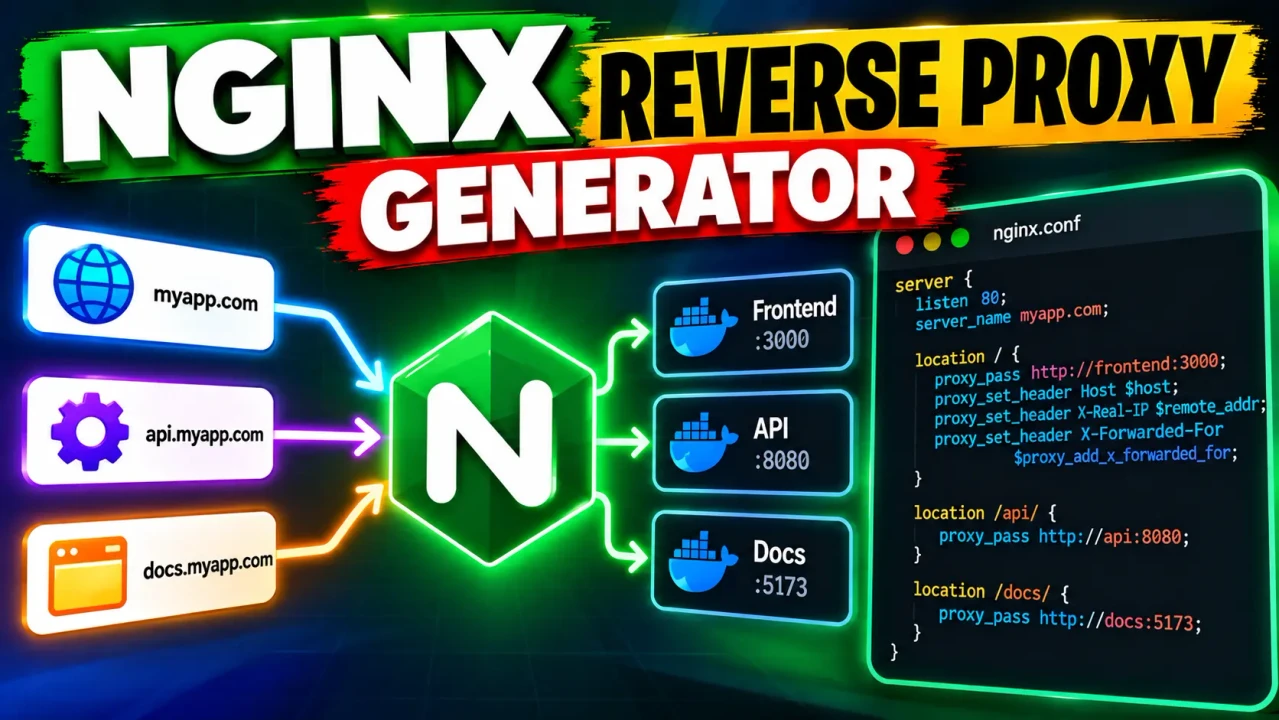
Nginx Reverse Proxy Generator
Quick answer: The Nginx Reverse Proxy Generator is a developer utility for preparing Nginx reverse proxy configuration snippets. It is intended to help administrators and developers define how Nginx forwards incoming HTTP requests to an upstream application or service. The generated configuration must match the actual deployment, including the upstream address, listening port, domain, TLS setup, and application requirements.
Nginx is commonly used as a reverse proxy between clients and backend applications. Instead of connecting directly to an application server, a client sends a request to Nginx, which can forward the request to an upstream service and return the resulting response. The Nginx Reverse Proxy Generator page is designed around this configuration task: preparing the Nginx directives needed to route incoming requests to a specified backend.
Typical use cases include routing a domain to a Node.js application, forwarding requests to a containerized web service, exposing an internal application through a public-facing proxy, and configuring a proxy in front of an API. The exact directives required depend on the application protocol, network topology, request path, and whether HTTPS terminates at Nginx or another component.
What Does an Nginx Reverse Proxy Configuration Control?
- Incoming traffic: The server block defines the listening port and the hostname Nginx should match.
- Backend destination: The
proxy_passdirective identifies the upstream URL or service address. - Request headers: The
proxy_set_headerdirectives can preserve the original hostname, client address, and request scheme for the backend. - URI handling: The location block and
proxy_passURL determine how request paths are forwarded. - Transport security: HTTPS certificates and TLS settings must be configured appropriately when Nginx terminates public HTTPS connections.
Key Takeaways
- Primary function: Prepare Nginx reverse proxy configuration.
- Core directives:
server,location,proxy_pass, andproxy_set_header.- Typical output: An Nginx configuration snippet that must be reviewed before deployment.
- Best suited for: Developers, DevOps engineers, and server administrators configuring application routing.
How to Use Nginx Reverse Proxy Generator?
- Identify the public endpoint. Determine the domain name and port on which Nginx should accept requests, such as HTTP on port 80 or HTTPS on port 443.
- Identify the upstream service. Use the backend hostname or IP address and port that Nginx can reach from its runtime environment. For example, an application running on the same host might listen on
127.0.0.1:3000. - Configure request routing. Choose the URL path or location to proxy and determine whether the backend expects the original URI, a rewritten URI, or a specific application base path.
- Generate and inspect the configuration. Review the resulting server and location directives. Test the configuration with
nginx -tand reload Nginx only after the test succeeds.
The precise input fields and optional settings available in the live generator are not specified in the supplied tool information. The examples below therefore illustrate standard Nginx configuration practices rather than claiming that every setting is exposed as a generator control.
Nginx Reverse Proxy Input and Output Example
Consider a web application listening on 127.0.0.1:3000 and intended to receive requests for app.example.com. A basic reverse proxy server block could look like this:
Example Input
Public domain: app.example.com
Nginx HTTP port: 80
Backend address: 127.0.0.1
Backend port: 3000
Proxy path: /
Example Output
server {
    listen 80;
    server_name app.example.com;

    location / {
        proxy_pass http://127.0.0.1:3000;

        proxy_set_header Host $host;
        proxy_set_header X-Real-IP $remote_addr;
        proxy_set_header X-Forwarded-For $proxy_add_x_forwarded_for;
        proxy_set_header X-Forwarded-Proto $scheme;
    }
}
This example forwards requests matching the root location to the local application and supplies commonly used forwarding headers. It does not configure HTTPS certificates, authentication, rate limiting, WebSocket-specific connection handling, or application-specific timeout policies. Those features should be added only when the deployment requires them.
Important: The example is a reference configuration, not a verified capture of the generator's exact output. Replace the example domain and backend address with real deployment values before using it.
Nginx Reverse Proxy Directive Reference
The following table summarizes important directives that commonly appear in reverse proxy configurations. These are standard Nginx directives, not a claim that the generator exposes each one as a separate option.
| Directive | Purpose | Configuration consideration |
|---|---|---|
listen |
Defines the local address and port on which Nginx accepts connections. | Use the appropriate port and TLS settings for the deployment. |
server_name |
Matches requests against a hostname. | Configure the intended domain names and verify DNS points to the proxy. |
location |
Selects a URI path or pattern for request handling. | Location matching and precedence affect which proxy rules execute. |
proxy_pass |
Forwards requests to an upstream HTTP or HTTPS destination. | The presence or absence of a URI component can change path forwarding behavior. |
proxy_set_header Host $host |
Passes a hostname value to the backend. | Confirm whether the application expects the public hostname or an upstream-specific host. |
proxy_set_header X-Real-IP $remote_addr |
Passes the immediate client address observed by Nginx. | If another proxy sits in front of Nginx, configure trusted client IP handling correctly. |
proxy_set_header X-Forwarded-For $proxy_add_x_forwarded_for |
Preserves and extends the forwarded client address chain. | Applications should trust forwarding headers only from known proxy infrastructure. |
proxy_set_header X-Forwarded-Proto $scheme |
Communicates the scheme used for the connection to Nginx. | If TLS terminates upstream, the original scheme may need to be passed through from a trusted source instead. |
How the Nginx Reverse Proxy Configuration Works
Nginx processes a request by selecting a server context based on the listening socket and request hostname, then selecting a matching location. The directives inside that context determine whether the request is served directly, redirected, rewritten, or proxied to an upstream destination.
For a conventional HTTP reverse proxy, proxy_pass is the central forwarding directive. The surrounding location rule matters because URI normalization, location matching, and URI replacement can affect the request that reaches the backend.
Trailing Slash and URI Behavior
Compare these configurations:
location /api/ {
    proxy_pass http://127.0.0.1:3000;
}
and:
location /api/ {
    proxy_pass http://127.0.0.1:3000/;
}
In the first example, the proxy_pass directive has no URI component, so the request URI is generally passed upstream in accordance with Nginx's proxy URI rules. In the second, the trailing slash introduces a URI component; for this prefix location, Nginx replaces the matching location prefix with the URI specified in proxy_pass. For example, a request to /api/users can reach the backend as /api/users in the first configuration and /users in the second.
That difference is especially important when an application expects to run at the root path but is exposed externally beneath a prefix such as /api/.
Technical Edge Cases and Limitations
- Unreachable upstream: A syntactically valid configuration can still fail if the backend process is stopped, the address is wrong, or a container network prevents connectivity.
- DNS and container names: A hostname that resolves on the host may not resolve inside a container, and a container service name may not be available from the host network.
- Path-prefix mismatches: An application may return 404 responses if Nginx strips or retains a path prefix unexpectedly.
- HTTPS termination: A port 80 example does not configure TLS. Certificates, HTTPS listeners, and redirect behavior require deployment-specific settings.
- Forwarded-header trust: Forwarded client IP and scheme values can be misleading if the application trusts arbitrary client-supplied headers or if a preceding proxy is not configured correctly.
- WebSocket applications: WebSocket upgrades may require explicit HTTP version and connection-header directives depending on the deployment.
- Large uploads and long-running requests: Request body limits, buffering, and proxy timeouts may need adjustment for particular workloads.
- Configuration context: A snippet intended for a
serverblock cannot necessarily be pasted into anhttporlocationcontext without changes.
The supplied tool information does not establish which of these cases the generator detects, validates, or configures automatically. Treat generated text as a starting point and confirm its syntax, context, and runtime behavior against the target Nginx installation.
Validation and Deployment
- Save the reviewed configuration in the appropriate Nginx configuration location for your operating system or deployment.
- Run
nginx -tto check configuration syntax and referenced files. - Check the Nginx service logs and backend logs if the configuration test or an HTTP request fails.
- Reload Nginx using the appropriate service-management command only after the syntax test succeeds.
A successful syntax test does not guarantee that the backend is reachable, DNS is correct, certificates are valid, or the application handles forwarded requests correctly. Test an actual request and verify the response, application logs, and expected URL path.
Author and Technical Review
Author: Michael Turner
Author Description: Software engineer specializing in web infrastructure, HTTP request routing, and reverse proxy configuration.
Technical Review: The configuration examples explain standard Nginx reverse proxy directives and URI-forwarding considerations. The live generator's complete option set and execution behavior have not been independently verified.
Authoritative References
- Nginx ngx_http_proxy_module documentation — official reference for proxy directives and URI handling.
- Nginx ngx_http_core_module documentation — official reference for server and location configuration.
