
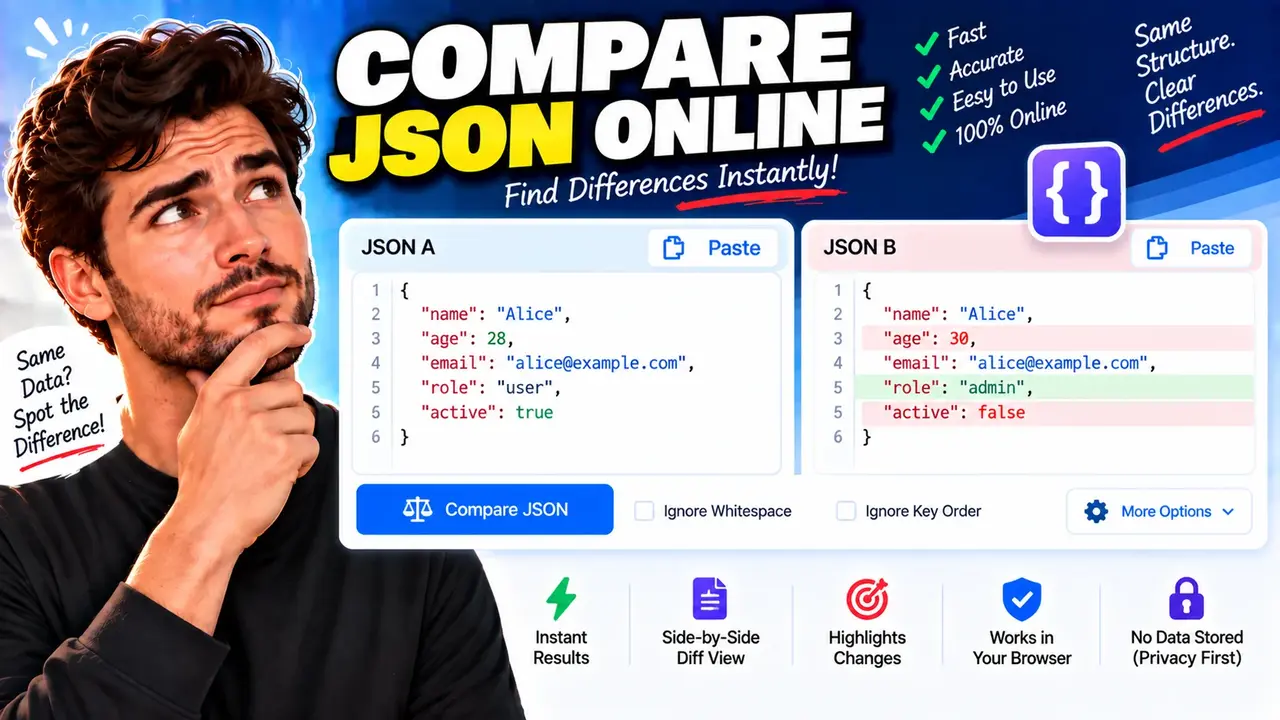
Compare Json Online | Free Json Diff Checker
Quick answer: Compare Json Online | Free Json Diff Checker is a developer utility for comparing two JSON documents and identifying differences between their properties and values. It helps developers inspect changes in API responses, configuration files, application data, and other JSON-based documents.
A JSON diff checker compares an original JSON document with a modified version to help identify what changed. Instead of manually scanning two blocks of structured data, developers can use a comparison tool to locate added properties, removed properties, and modified values.
JSON, or JavaScript Object Notation, represents data using objects, arrays, strings, numbers, booleans, and null values. These structures are commonly used in API communication, configuration management, application state, and data exchange. The JSON format is defined in RFC 8259.
Compare Json Online | Free Json Diff Checker is intended for situations where two JSON versions need to be inspected for meaningful differences. Examples include reviewing an updated API response, checking changes in application settings, examining test fixtures, and comparing data before and after an application update.
TL;DR / Key Takeaways
- Primary Function: Compare two JSON documents to locate differences.
- Input: An original JSON document and a modified JSON document.
- Purpose: Review changes to properties, values, nested objects, and arrays.
- Best Suited For: Developers, API testers, QA engineers, and data analysts.
- Important Distinction: A difference between two documents does not automatically indicate an error or an incompatible API change.
How to Use Compare Json Online | Free Json Diff Checker?
To compare two JSON documents, prepare the original and updated versions of the data. Use the comparison interface to provide both documents and review the differences it reports.
- Prepare the original JSON: Copy the earlier document, such as an API response or configuration file, into the original input area.
- Prepare the updated JSON: Place the newer version in the second input area.
- Run the comparison: Use the tool's available comparison action to examine the two inputs.
- Review the differences: Inspect reported changes and determine whether each difference is expected.
Both inputs should contain the complete JSON documents you intend to compare. If you are investigating a production issue, compare the same endpoint, request parameters, environment, or configuration context whenever possible. Otherwise, differences may reflect unrelated conditions rather than a change in the software itself.
What should I enter?
Enter valid JSON text in each input. JSON objects use quoted property names, colons between names and values, and commas between members. Arrays use square brackets and preserve element order. JSON values can include nested objects and arrays.
For example, the following is valid JSON:
{
  "service": "catalog",
  "enabled": true,
  "retryCount": 3,
  "metadata": {
    "region": "us-east"
  }
}
Standard JSON does not allow comments or trailing commas. If an input contains JavaScript expressions, unquoted property names, or other non-JSON syntax, correct it before comparing the documents.
Input and Output Example
Consider an API response that changes after a software update.
Original JSON
{
  "id": 204,
  "name": "Wireless Mouse",
  "price": 24.99,
  "inStock": true,
  "category": "accessories"
}
Modified JSON
{
  "id": 204,
  "name": "Wireless Mouse",
  "price": 29.99,
  "inStock": false,
  "brand": "Northstar"
}
Expected Structural Differences
| JSON Path | Original Value | Modified Value | Change Type |
|---|---|---|---|
$.price |
24.99 |
29.99 |
Modified value |
$.inStock |
true |
false |
Modified value |
$.brand |
Absent | "Northstar" |
Added property |
$.category |
"accessories" |
Absent | Removed property |
This example illustrates the expected meaning of a structural comparison. The exact presentation of results depends on the comparison implementation. A reported change should be evaluated in context: a price update may be intentional, a stock-status change may be expected, and removing a category property may affect a downstream consumer.
JSON Difference Reference Table
The following table explains common differences that matter when comparing JSON documents. It provides a reference for interpreting comparison results rather than asserting undocumented interface features.
| Difference | Example | Interpretation |
|---|---|---|
| Added property | {"status":"active"} added to an object |
A property exists in the modified document but not the original. |
| Removed property | "legacyCode": "A1" disappears |
A property present in the original is absent from the modified document. |
| Changed string | "name": "Basic" becomes "name": "Premium" |
The property remains, but its string value changes. |
| Changed number | "count": 4 becomes "count": 5 |
A numeric value changes. |
| Changed type | "id": 204 becomes "id": "204" |
The JSON value changes from a number to a string. |
| Null versus missing | "middleName": null versus no property |
An explicit null value is different from an absent property. |
| Array element change | ["red","blue"] becomes ["red","green"] |
An array element differs at the corresponding position in a positional comparison. |
| Nested difference | $.user.address.city changes |
A value changes inside a nested object. |
How Does JSON Comparison Work?
A JSON comparison can operate at the text level or at the structured-data level. A text diff compares characters or lines, whereas a structural diff interprets JSON values and their relationships before identifying differences. These approaches can produce different results.
For a structural comparison, the general process is:
- Parse the documents: Interpret each input according to JSON syntax.
- Examine object properties: Match property names and compare their corresponding values.
- Inspect nested values: Compare nested objects and arrays according to the comparison rules.
- Classify changes: Identify differences such as additions, removals, and value changes.
The specific algorithm used by this tool, including how it matches array elements and displays invalid-input errors, is not established by the supplied tool information. These details should be confirmed against the implemented interface before being documented as supported features.
Does JSON property order matter?
According to RFC 8259, a JSON object is an unordered collection of name/value pairs, while an array is an ordered sequence of values. Therefore, reordering object properties does not inherently change the represented JSON data, but reordering array elements does change their sequence.
A structural comparison may ignore object-member order, while a raw text comparison can report lines that differ because of formatting or ordering. Confirm the comparison mode before treating a reported difference as a meaningful data change.
Reference: RFC 8259 — The JSON Data Interchange Format.
Edge Cases and Limitations
Invalid JSON
Missing quotation marks, unquoted property names, trailing commas, unmatched braces, and invalid literal names can prevent JSON parsing. Correct the syntax in each document before interpreting a comparison. The exact error display depends on the implementation.
Missing properties versus null values
Consider {"email":null} compared with {}. The first object explicitly contains the property email with a null value; the second does not contain that property. Applications may interpret these states differently, so they should not be treated as interchangeable.
Numbers versus strings
The values 42 and "42" have different JSON types. A numeric identifier converted into a string may look unchanged to a person but can affect validation, sorting, serialization, or API clients that expect a particular type.
Array insertion and reordering
Arrays are ordered. Adding an element at the beginning can shift the positions of many subsequent elements in a positional comparison. A structural diff may therefore report several differences even when the underlying change was one insertion. Whether array items can be matched by a stable identifier depends on the implementation.
Formatting-only changes
Indentation, whitespace, and line breaks can change the textual representation without changing the parsed JSON values. A raw text diff may show those changes, while a structural comparison may disregard insignificant whitespace.
Duplicate property names
RFC 8259 recommends unique names within a JSON object. Duplicate property names can produce inconsistent interpretations across parsers. Resolve duplicate names before comparing documents to avoid ambiguous results.
Large or sensitive documents
Very large inputs may require substantial memory and processing time, depending on the comparison implementation and environment. The supported input size and processing location have not been verified from the supplied information. Avoid submitting credentials, access tokens, or confidential customer records unless the tool's data-handling practices have been confirmed.
Who Can Benefit from a JSON Diff Checker?
- API developers: Compare response payloads between endpoint versions or environments.
- QA engineers: Inspect expected and actual JSON outputs during testing.
- Backend developers: Review changes to configuration objects and serialized application state.
- Data analysts: Identify differences between JSON exports or snapshots.
- Integration engineers: Investigate changes in fields, value types, and nested structures consumed by connected systems.
A JSON diff is a diagnostic aid, not a substitute for schema validation, API contract testing, or application-level checks. A difference can be intentional, and two documents that compare identically at the value level may still have different operational meanings when interpreted by different applications.
Author and Technical Review
Author Name: Daniel Mercer
Author Description: Software engineering content specialist focused on JSON data structures, API integration, and developer tooling.
Technical Review: This content explains JSON comparison concepts using RFC 8259 and illustrative input/output examples. Implementation-specific options, processing behavior, and privacy guarantees should be verified against the deployed tool before publication.
