
Convert Json To Zod Schema Online - Free Developer Tool
Convert JSON to Zod schema code for TypeScript validation. Map objects, arrays, and primitive values to Zod expressions, then refine rules for your application.
Loading tool… if this message stays, JavaScript is blocked or failed to load — check your connection and console, then reload.
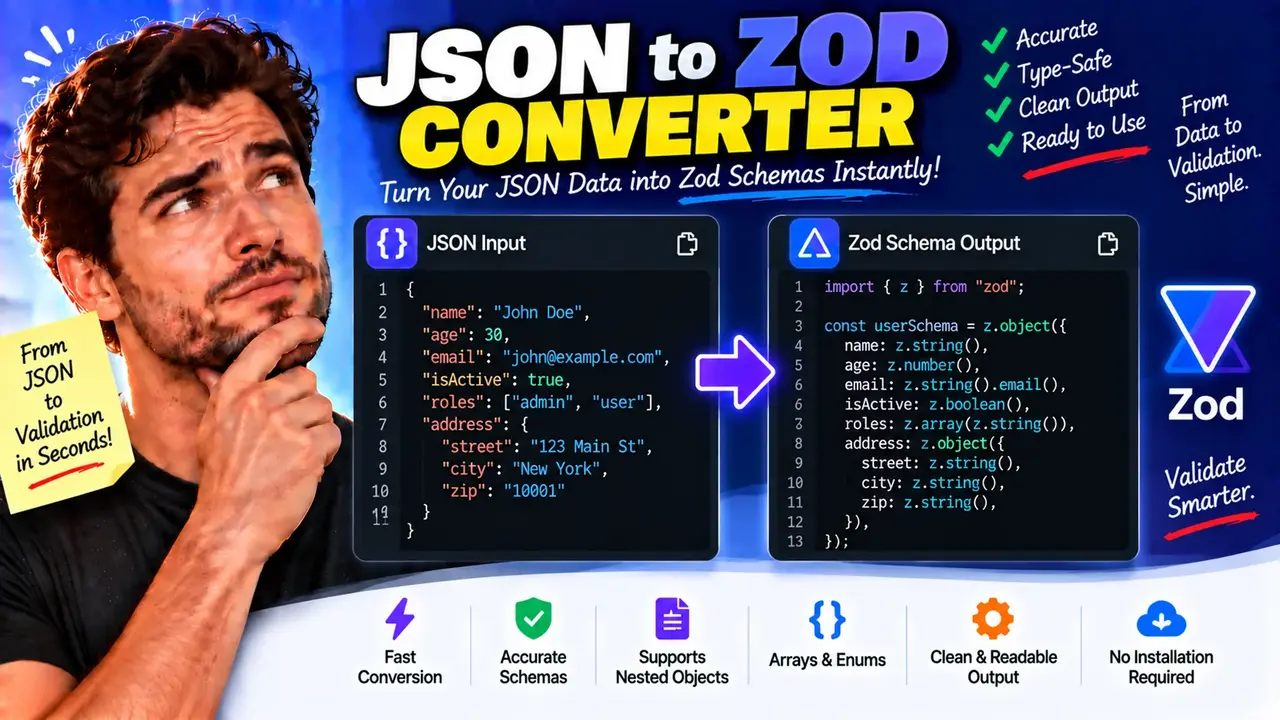
Convert JSON to Zod Schema Online - Free Developer Tool
Quick answer: Convert JSON to Zod Schema Online is a developer utility for turning a JSON example into a Zod validation schema. It helps TypeScript developers define runtime validation rules for objects, strings, numbers, booleans, arrays, and nested JSON structures. The generated schema can serve as a starting point for validating API responses, request payloads, configuration objects, and other JSON data.
JSON describes data, while Zod defines rules for checking whether JavaScript or TypeScript values conform to an expected structure. Converting a representative JSON object into a Zod schema bridges these two tasks by translating observed values into corresponding validation expressions.
For example, a JSON property containing a string can map to z.string(), a numeric property can map to z.number(), and an array can map to z.array() with an appropriate element schema. Nested objects can be represented using nested z.object() definitions.
The generated result is a useful starting point, but JSON examples describe observed values rather than every possible valid value. Developers should review the output and add business rules, optional fields, nullability, and constraints that cannot be inferred reliably from a single example.
How to Use Convert JSON to Zod Schema Online?
- Enter JSON: Paste a valid JSON object or another supported JSON value into the input editor.
- Generate the schema: Run the conversion to produce the corresponding Zod schema code.
- Review the output: Check property names, nested objects, arrays, inferred types, and any generated defaults.
- Integrate into TypeScript: Copy the schema into your project and refine the validation rules for your application's requirements.
The exact input limits, conversion options, export behavior, and processing location depend on the implementation of the live tool. Confirm those details in the interface rather than assuming that every JSON structure or Zod feature is supported.
JSON to Zod Schema: Input and Output Example
Consider a JSON object representing a user account. The following example illustrates the expected type-mapping approach for a conventional JSON-to-Zod converter.
Input JSON
{
  "id": 101,
  "name": "Ava Patel",
  "email": "ava@example.com",
  "active": true,
  "roles": ["admin", "editor"],
  "profile": {
    "city": "Austin",
    "verified": false
  }
}
Illustrative Zod Output
import { z } from "zod";

const UserSchema = z.object({
  id: z.number(),
  name: z.string(),
  email: z.string(),
  active: z.boolean(),
  roles: z.array(z.string()),
  profile: z.object({
    city: z.string(),
    verified: z.boolean()
  })
});

type User = z.infer<typeof UserSchema>;
This schema checks the structural types of the supplied fields. It does not automatically guarantee that the email is correctly formatted, that the identifier is an integer, or that the user's name is non-empty. Those rules must be added explicitly when required.
For example, z.string().email() can enforce email-format validation, while z.number().int().positive() can require a positive integer in Zod versions that support these methods.
JSON Value to Zod Type Mapping Reference
The following table provides a practical reference for translating JSON value types into Zod schema expressions. It describes common Zod patterns rather than a verified list of every feature implemented by this online converter.
| JSON value or structure | Typical Zod expression | Validation behavior |
|---|---|---|
String: "hello" |
z.string() |
Accepts string values. |
Number: 42 |
z.number() |
Accepts numbers; additional constraints may be needed. |
Boolean: true |
z.boolean() |
Accepts boolean values. |
Object: {"name":"Ava"} |
z.object({...}) |
Validates declared object properties. |
String array: ["red","blue"] |
z.array(z.string()) |
Validates an array of strings. |
| Nested object | z.object({profile: z.object({...})}) |
Validates nested object structure. |
Null: null |
z.null() |
Accepts the null value. |
| Nullable string | z.string().nullable() |
Accepts a string or null. |
| Optional property | z.string().optional() |
Allows the value to be undefined when used in a compatible schema. |
| Mixed-type values | z.union([...]) |
Accepts values matching at least one declared alternative. |
Important distinction: A property that contains null in a JSON example is not necessarily optional. Nullability permits a null value, while optionality permits a property or value to be absent or undefined according to the schema context.
How JSON-to-Zod Conversion Works
A typical JSON-to-Zod transformation examines the JSON value types and recursively builds a schema expression. The generated schema represents the structure that can be observed in the input.
- Parse the JSON: The input must be syntactically valid JSON before its structure can be inspected.
- Identify value types: Strings, numbers, booleans, null values, arrays, and objects are classified.
- Build nested schemas: Object properties and array elements are represented with the appropriate Zod expressions.
- Generate TypeScript code: The resulting schema can be used with Zod parsing methods and TypeScript type inference.
In a TypeScript application, schema.parse(data) validates data and returns the parsed result when validation succeeds. Invalid data causes a Zod validation error. schema.safeParse(data) instead returns a result object that can be inspected without relying on a thrown validation error for ordinary validation failures.
For official implementation details, consult the Zod documentation and the TypeScript documentation.
Technical Edge Cases and Limitations
Missing properties and optional fields
A JSON example cannot reliably reveal whether a property is mandatory across all valid records. If a field may be omitted in production, mark it optional explicitly or provide representative examples that establish the intended behavior.
Null values
JSON supports null, but it does not support undefined. A converter must distinguish a property whose value is null from a property that is absent. Review the generated schema for nullable and optional fields.
Empty arrays
An empty array such as [] does not reveal the intended element type. A converter may be unable to infer whether the array should contain strings, numbers, objects, or multiple types. Add an explicit element schema when necessary.
Mixed-type arrays
An array containing strings and numbers requires a schema that accommodates both types if both are valid. For example, z.array(z.union([z.string(), z.number()])) permits either type for each element.
Business rules
Observed JSON values do not establish every validation requirement. Minimum lengths, numeric ranges, email formats, date formats, cross-field conditions, and application-specific rules may require additional schema methods or refinements.
Large or complex objects
Deeply nested structures, inconsistent examples, unusual property names, and advanced validation requirements should be reviewed carefully. Actual input limits and behavior for malformed or oversized JSON depend on the implementation of the tool.
Best Practices for Generated Zod Schemas
- Start with representative JSON that includes the important properties and nested structures.
- Use explicit constraints for identifiers, emails, dates, ranges, and other domain-specific values.
- Decide whether missing properties, null values, and empty collections are valid.
- Test the schema with both valid and invalid data before using it in production.
- Use
z.infer<typeof YourSchema>to derive TypeScript types from the final schema. - Review compatibility with the installed Zod version before using generated methods.
Privacy note: The processing location and data-retention behavior of this particular converter have not been established here. Avoid entering confidential production payloads unless the site's published privacy policy and implementation provide adequate assurances.
Author
Author Name: Daniel Brooks
Author Description: Software Engineer specializing in TypeScript, runtime data validation, API integration, and developer tooling.
Technical Review: Daniel Brooks — review of the JSON-to-Zod type mappings, runtime validation examples, and distinctions between optional, nullable, and inferred schema properties.
