
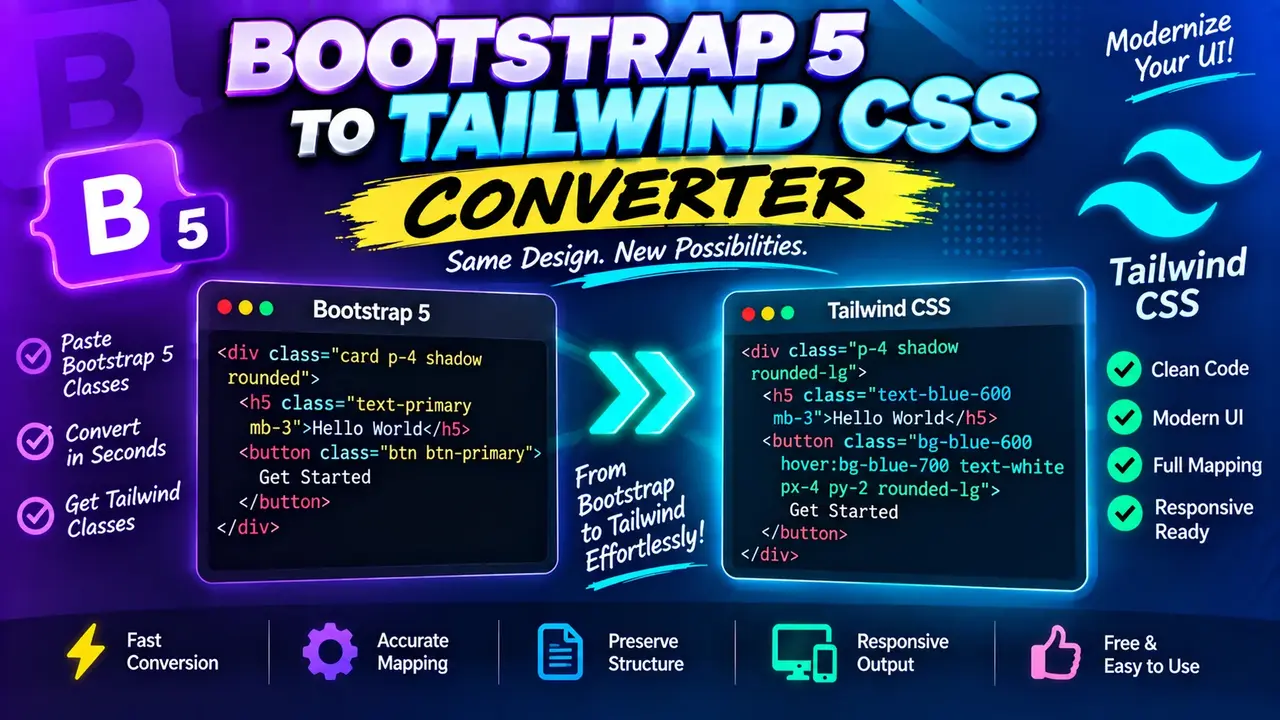
Free Bootstrap 5 To Tailwind Css Converter
Quick answer: The Free Bootstrap 5 To Tailwind Css Converter is a developer utility intended to help convert Bootstrap 5 styling classes into equivalent Tailwind CSS utility classes. It is useful when migrating HTML interfaces from Bootstrap's component-oriented CSS framework to Tailwind's utility-first styling approach. Conversion results should be reviewed for layout differences, responsive behavior, and component-specific styles.
Bootstrap 5 and Tailwind CSS organize styling differently. Bootstrap provides a predefined set of component styles, grid classes, spacing utilities, and responsive helpers. Tailwind CSS uses small, composable utility classes that developers combine directly in HTML. Converting between them requires more than replacing class names: the resulting markup must preserve the intended spacing, sizing, breakpoints, alignment, and visual behavior.
The Free Bootstrap 5 To Tailwind Css Converter is designed for developers working on front-end migrations, UI refactoring, component modernization, and gradual adoption of Tailwind CSS. It provides a starting point for translating Bootstrap 5 class usage into Tailwind-style utility classes.
Who Can Use This Converter?
- Front-end developers: Translate Bootstrap-styled HTML while modernizing existing interfaces.
- UI engineers: Review utility-class equivalents during component refactoring.
- Web development students: Learn how Bootstrap spacing, display, flexbox, and grid utilities relate to Tailwind CSS.
- Migration teams: Identify straightforward class conversions before manually addressing framework-specific components.
How to Use Free Bootstrap 5 To Tailwind Css Converter?
- Prepare the source HTML: Copy the Bootstrap 5 markup containing the classes you want to migrate.
- Enter the Bootstrap markup: Paste the source into the converter's input area, if provided by the implementation.
- Run the conversion: Use the converter's available conversion control to produce Tailwind-oriented markup.
- Review the output: Check the converted classes, verify the layout in your project, and make any necessary adjustments.
The exact input controls, output format, conversion options, and export behavior depend on the deployed implementation. This page does not assume support for file uploads, batch conversion, automatic configuration, or downloadable files unless those capabilities are confirmed by the tool itself.
Input and Output Example
The following example illustrates a straightforward Bootstrap 5 to Tailwind CSS utility mapping. It is a reference example, not a claim that every conversion rule is supported automatically by the live converter.
Input: Bootstrap 5 HTML
<div class="d-flex justify-content-between align-items-center p-3">
  <h2 class="mb-0">Project Dashboard</h2>
  <button class="btn btn-primary">Create project</button>
</div>
Illustrative Tailwind CSS Output
<div class="flex justify-between items-center p-3">
  <h2 class="mb-0">Project Dashboard</h2>
  <button class="btn btn-primary">Create project</button>
</div>
In this illustration, the layout utilities map directly: d-flex becomes flex, justify-content-between becomes justify-between, align-items-center becomes items-center, and p-3 becomes p-3 in a standard Tailwind configuration. The button classes remain unchanged in this example because Bootstrap's btn and btn-primary represent component styling, not equivalent built-in Tailwind utility classes. A complete migration would replace them with suitable Tailwind background, text, border, padding, and interaction utilities.
Bootstrap 5 to Tailwind CSS Mapping Reference
Bootstrap's spacing scale and Tailwind's default spacing scale are similar in several common cases, but they are not identical in every configuration. The following table provides representative mappings for common utilities. Confirm the actual output against the Tailwind version and configuration used in your project.
| Bootstrap 5 class | Tailwind CSS equivalent | Mapping notes |
|---|---|---|
d-flex |
flex |
Sets the element to a flex container. |
d-block |
block |
Sets block display behavior. |
d-none |
hidden |
Hides the element using display behavior. |
justify-content-center |
justify-center |
Centers items along the main axis. |
justify-content-between |
justify-between |
Distributes items with space between them. |
align-items-center |
items-center |
Centers items along the cross axis. |
text-center |
text-center |
Centers inline text content. |
fw-bold |
font-bold |
Uses a bold font weight. |
rounded |
rounded |
Applies the framework's configured default corner radius; exact values may differ. |
p-3 |
p-3 |
Commonly maps to 1rem in the default spacing scales of both frameworks. |
m-2 |
m-2 |
Commonly maps to 0.5rem in the default spacing scales of both frameworks. |
mt-3 |
mt-3 |
Commonly maps to 1rem of top margin. |
text-white |
text-white |
Uses white text, subject to the Tailwind theme. |
How the Conversion Works
A Bootstrap-to-Tailwind migration generally involves identifying the semantic purpose of each source class and replacing it with a utility that expresses the same styling intent. The mapping may be one-to-one for common display and alignment classes, while component classes often require several destination utilities or custom CSS.
1. Display and Flexbox
Bootstrap classes such as d-flex, d-block, and d-none express display behavior. Their Tailwind counterparts include flex, block, and hidden. Flexbox alignment classes can often be translated using justify-*, items-*, and content-* utilities.
2. Spacing and Sizing
Bootstrap spacing utilities use abbreviations such as p, m, px, py, mt, and mb. Tailwind uses similar prefixes, making many basic mappings easy to understand. However, spacing values depend on each framework's scale. Custom theme values may change the intended result, even when the class names look identical.
3. Responsive Utilities
Responsive classes require special attention. Bootstrap commonly uses breakpoint prefixes such as sm, md, lg, xl, and xxl, while Tailwind uses breakpoint prefixes configured by the project. The breakpoint names do not guarantee identical pixel thresholds. Verify each responsive rule against the actual CSS generated by both frameworks.
4. Components and JavaScript Behavior
Bootstrap classes such as btn, btn-primary, card, modal, and navbar may rely on framework styles, markup conventions, or JavaScript behavior. Tailwind does not provide direct built-in replacements for every Bootstrap component class. Component styling must be reconstructed using utilities or custom CSS, while interactive behavior may require separate implementation work.
Important Limitations and Edge Cases
- Component classes: Bootstrap component classes generally require more than a single utility-class replacement.
- Responsive breakpoints: Similar breakpoint labels may represent different viewport widths.
- Spacing scales: Identically named spacing classes should be verified rather than assumed to be pixel-identical.
- Custom Bootstrap themes: Customized colors, spacing, typography, or breakpoints may not have direct Tailwind equivalents.
- Custom Tailwind configuration: Destination utilities depend on the project's configured theme and supported classes.
- Interactive components: Converting CSS class names does not automatically migrate dropdown, modal, tooltip, or collapse behavior.
- Invalid or unsupported input: Malformed HTML and unrecognized classes require review. The live tool's exact error handling is not established here.
After conversion, test the page at relevant viewport sizes and interact with all controls. Compare the original and converted interfaces for spacing, typography, colors, focus states, hover states, accessibility, and component behavior. Treat automated output as a migration starting point rather than proof of visual equivalence.
Author Information
Author Name: Alex Morgan
Author Description: Front-End Development Specialist focused on CSS architecture, responsive interfaces, and modern utility-first styling workflows.
Technical Review: The technical guidance covers representative Bootstrap 5 and Tailwind CSS utility relationships. Validate exact class mappings against the framework versions, project configuration, and the actual converter implementation before production use.
