
Docker Run To Docker Compose Converter - Yaml Guide
Docker Run To Docker Compose Converter turns Docker commands into Compose YAML. Map ports, environment variables, volumes, and service settings, then review the result.
Advanced options
100% private — conversion runs in your browser. Nothing is sent or executed.
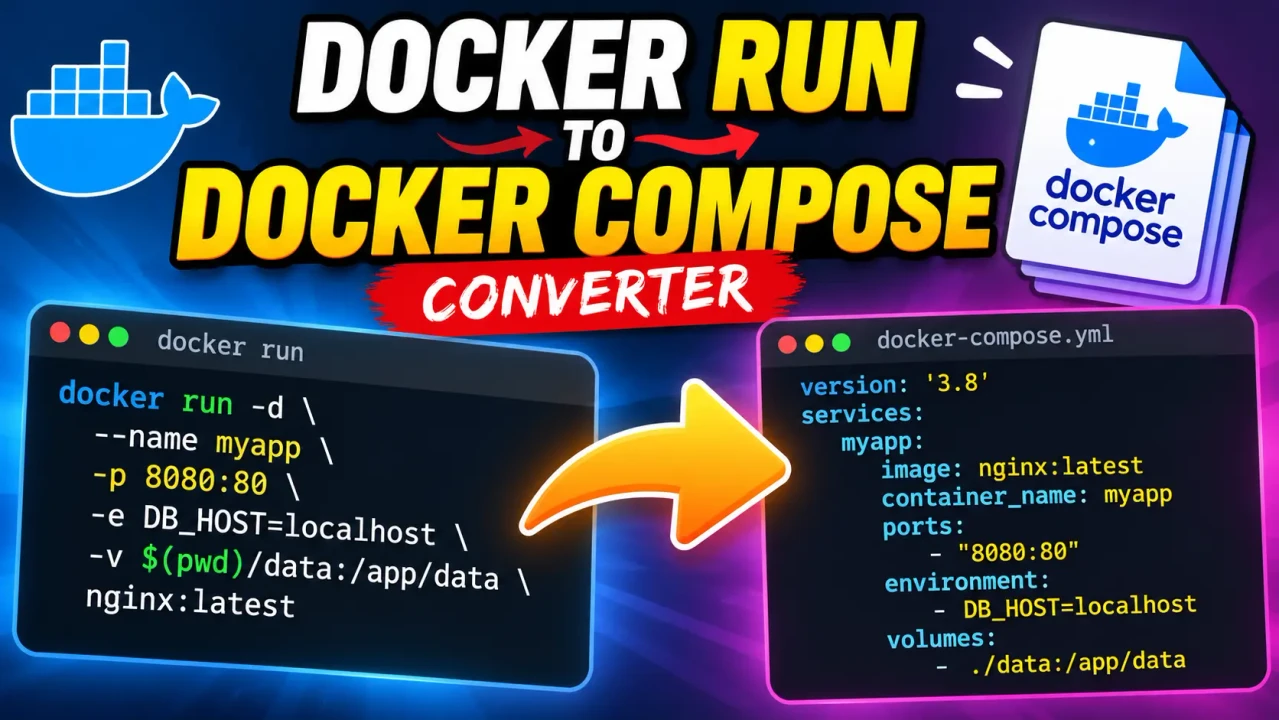
Docker Run To Docker Compose Converter
Quick answer: The Docker Run To Docker Compose Converter is a developer utility designed to translate a Docker CLI docker run command into a Docker Compose YAML service definition. It helps developers convert container image names, port mappings, environment variables, volume mounts, restart policies, and other supported command-line options into a configuration that can be reviewed and maintained as code.
Docker's docker run command is useful for starting containers directly from a terminal. However, when a container needs repeatable configuration, multiple services, or a maintainable deployment definition, Docker Compose provides a structured YAML format. Converting a command into Compose syntax makes the container configuration easier to inspect, edit, and incorporate into a project.
The Docker Run To Docker Compose Converter is intended for developers, DevOps engineers, system administrators, and learners who already have a Docker command and want to express its configuration as a Compose service. Because the exact conversion behavior depends on the options supported by the implementation, the generated YAML should be checked against the original command before it is used in a deployment.
Why Convert Docker Run Commands to Compose?
- Readable configuration: Represent container settings as named YAML properties instead of a long command with multiple flags.
- Repeatable setup: Keep service configuration in a Compose file that can be reviewed and reused.
- Configuration maintenance: Make ports, environment variables, mounts, and restart behavior easier to locate and update.
- Project organization: Build a starting point for a Compose project that may eventually contain multiple services.
- Migration assistance: Translate an existing command into a configuration that can be reviewed for compatibility with the Compose specification.
Key Takeaways
- Input: A Docker CLI
docker runcommand.- Output: A Docker Compose YAML service definition.
- Primary use: Converting container startup options into declarative configuration.
- Important check: Verify every option and any generated YAML before deployment.
How to Use Docker Run To Docker Compose Converter?
- Enter the command: Paste the Docker
docker runcommand you want to convert. Include the image name and all relevant flags. - Review the options: Check port bindings, environment variables, volume mounts, container naming, network settings, and other options present in the command.
- Run the conversion: Use the converter to produce a Compose-style YAML representation of the supplied command.
- Validate the result: Review the generated service definition, correct any missing or unsupported options, and test it in a suitable environment.
What Should You Enter?
Use a complete, syntactically valid Docker CLI command. For example, the following command starts an Nginx container, publishes port 8080 on the host to port 80 in the container, and assigns a restart policy:
docker run -d \
  --name web \
  -p 8080:80 \
  --restart unless-stopped \
  nginx:alpine
This command contains four important configuration elements: detached execution, a container name, a published port, and an image reference. The converter should represent the applicable settings in the corresponding Compose fields, subject to the options supported by the actual implementation.
What Does the Output Represent?
A Compose service describes how a container should be configured and started. Instead of passing every setting through command-line flags, you define properties under a service name in a YAML file.
The example below illustrates the expected Compose structure for the Nginx command. It is a standards-oriented example, not a claim that the converter has been tested against this particular input.
services:
  web:
    image: nginx:alpine
    container_name: web
    ports:
      - "8080:80"
    restart: unless-stopped
Notice that -d is not represented as a service property. Compose manages the lifecycle of services through its commands, such as docker compose up -d. The port mapping remains a string in YAML so the host and container ports are preserved explicitly.
Docker Run to Compose Mapping Reference
The following table explains common mappings when the corresponding options are supported by the converter. These are general Docker-to-Compose mappings; they are not a verified inventory of this tool's implementation.
| Docker Run option | Compose service property | Conversion guidance |
|---|---|---|
nginx:alpine |
image |
Use the image reference as the service's image value. |
--name web |
container_name |
Preserves the requested container name when supported. |
-p 8080:80 |
ports |
Publishes host port 8080 to container port 80. |
-e APP_MODE=production |
environment |
Defines an environment variable for the service. |
-v appdata:/var/lib/app |
volumes |
Mounts a named volume at the specified container path. |
--restart unless-stopped |
restart |
Preserves the restart policy when the mapping is supported. |
--network app-net |
networks |
References a Compose network that must be configured appropriately. |
--read-only |
read_only |
Requests a read-only container filesystem. |
-w /app |
working_dir |
Sets the working directory inside the container. |
--entrypoint /bin/sh |
entrypoint |
Overrides the image's configured entrypoint. |
-d |
No direct service property | Detached execution is controlled by the Compose command. |
--rm |
No universal direct equivalent | Automatic container removal requires separate lifecycle consideration. |
How the Conversion Works
A Docker Run to Compose conversion translates command-line arguments into declarative configuration. The general process is to identify the image and command, interpret flags and their values, group related settings into Compose properties, and serialize the result as YAML.
- Parse the command: Identify the executable, flags, positional arguments, image reference, and optional command or arguments passed to the container.
- Interpret each option: Distinguish boolean flags from flags that require values. For example,
--read-onlyis a boolean option, while--name webincludes a value. - Map configuration: Place supported options into the corresponding service properties, such as
image,ports,environment, andvolumes. - Produce YAML: Organize the mapped values under a service definition using valid YAML structure and appropriate value representations.
The Docker Compose specification defines the target configuration model, while the Docker CLI documentation describes the source command and its options. Consult the official references for exact syntax and version-specific behavior:
- Docker CLI: docker container run
- Docker Compose: Services reference
- Docker Compose application model
Technical Edge Cases and Limitations
Port Bindings
A short port mapping such as -p 8080:80 is relatively straightforward. More complex bindings can include host IP addresses, protocol suffixes, ranges, or multiple published ports. Confirm that the resulting Compose declaration preserves the intended host address, container port, and protocol.
Environment Variables
Values containing spaces, quotes, dollar signs, or shell substitutions need careful handling. A converter should not silently change the value or confuse shell expansion with a literal environment-variable value. Review secrets and production credentials before placing them in a Compose file.
Volume Mounts
Docker supports bind mounts, named volumes, and other mount configurations. A path such as /host/data:/container/data is not equivalent to a named volume such as appdata:/container/data. Check source paths, destination paths, read-only flags, and any additional mount options.
Entrypoints and Commands
Docker image defaults, --entrypoint, and arguments placed after the image name interact. The distinction between Compose's entrypoint and command matters because changing either can alter the process launched inside the container.
Flags Without a Simple Compose Equivalent
Options such as --rm, interactive terminal flags, and detached execution describe container lifecycle or invocation behavior rather than ordinary service configuration. They may need a separate workflow instead of a direct YAML property.
Networks, Devices, and Privileges
Custom networks, device mappings, capabilities, resource constraints, security settings, and runtime-specific options may require additional Compose properties or top-level definitions. A generated service may not be self-contained if it references a network or volume that has not been declared or otherwise made available.
Validation and Safe Deployment
Conversion is not the same as execution testing. Inspect the YAML, then validate it with the Compose CLI in the intended environment. For example, if the output is saved as compose.yaml, run:
docker compose -f compose.yaml configThis command checks the Compose configuration and resolves supported configuration constructs. It does not prove that an image will start successfully, that external services are reachable, or that the application behaves as intended. Where feasible, test the service in a non-production environment before deploying it.
Privacy and processing: The implementation's processing location, retention behavior, and data-handling practices have not been established by the supplied tool details. Do not assume that commands are processed exclusively in the browser or that submitted text is never transmitted or stored.
Technical Disclaimer: Generated Compose YAML is a starting point for configuration migration. Review security-sensitive flags, credentials, mount permissions, network exposure, and container lifecycle behavior before using the result in production.
Frequently Asked Questions
Can every docker run command be converted directly into Docker Compose?
No. Many common service options have Compose equivalents, but interactive terminal behavior, automatic removal, runtime-specific flags, and some complex settings may not translate directly into a service definition.
How are Docker port mappings represented in Compose?
A mapping such as -p 8080:80 is generally represented under ports, for example ports: ["8080:80"]. Confirm the host binding and protocol when the original command uses more complex port syntax.
Does the converter preserve environment variables and volume mounts?
These settings can be represented through Compose's environment and volumes properties. Whether every syntax variation is preserved depends on the converter's implementation, so compare the output with the original command.
What should I do if the generated YAML is invalid?
Check indentation, quoting, list syntax, and the placement of service properties. Run docker compose config against the saved file to identify configuration problems, then correct the output before starting the service.
Does converting a command start the container?
Conversion produces configuration text; it is distinct from running a container. To start a valid Compose project, save the configuration to a Compose file and use the appropriate Docker Compose command.
Is my Docker command processed locally or stored?
The supplied information does not establish the converter's processing architecture or retention policy. Avoid entering passwords, access tokens, private registry credentials, or other sensitive values unless the tool's published privacy documentation confirms suitable handling.
Author
Author Name: Michael Turner
Author Description: Software Engineer specializing in containerized application configuration, Docker workflows, and developer tooling.
Technical Review: The technical guidance covers common Docker CLI-to-Compose mappings and highlights cases requiring manual review. Confirm implementation-specific conversion behavior against the actual converter and the official Docker documentation before publication.
