
Convert Curl To Fetch Javascript - Http Api Converter
Convert Curl To Fetch Javascript by mapping URLs, HTTP methods, headers, and request bodies into Fetch API code. Review and adapt the generated request before use.
100% private — conversion runs in your browser. Nothing is sent or executed.
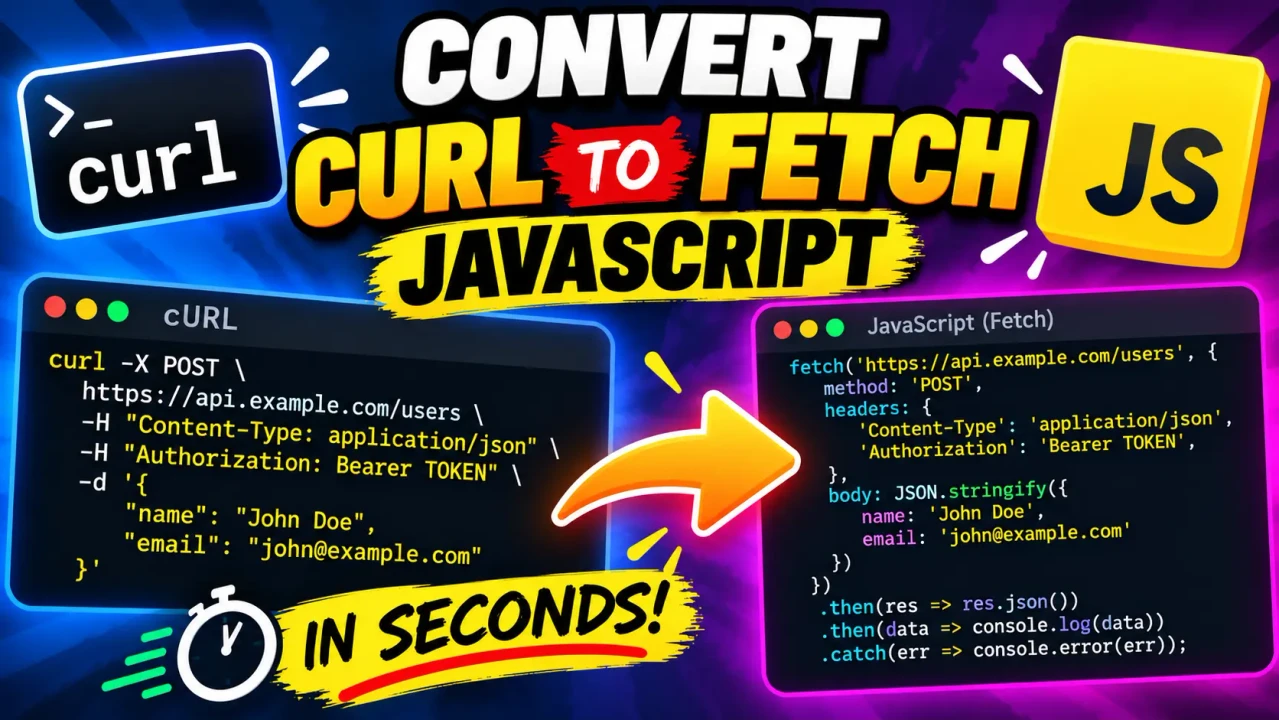
Convert Curl To Fetch Javascript
Quick answer: Convert Curl To Fetch Javascript is a developer utility concept for translating a cURL command into JavaScript Fetch API code. It helps developers reuse HTTP request details, including the URL, method, headers, and request body, when moving a command-line API request into JavaScript.
Converting cURL to JavaScript Fetch is useful when testing an API in a terminal and then implementing the same request in a browser application, frontend project, or JavaScript runtime. Instead of manually rewriting each part of the command, the conversion process maps cURL request options to the corresponding Fetch API configuration.
Important implementation note: The supplied information identifies the tool name and its Open Graph image, but does not document its parser, supported cURL options, execution environment, or error-handling behavior. The examples and mappings below describe common cURL-to-Fetch transformations; they should be checked against the actual converter implementation before being treated as a complete feature specification.
Key Takeaways
- Input: A cURL command representing an HTTP request.
- Output: JavaScript using fetch() and a request configuration object.
- Primary use: Reusing API requests in JavaScript applications.
- Key consideration: Some cURL behavior cannot be reproduced by a simple Fetch configuration and may require additional code.
How to Use Convert Curl To Fetch Javascript?
- Provide the cURL command. Paste a complete command copied from an API client, terminal, or API documentation.
- Check the request options. Confirm the target URL, HTTP method, headers, authentication details, and request body.
- Convert the command. Run the converter to obtain the corresponding JavaScript Fetch request, if supported by the deployed implementation.
- Review the generated code. Check the request body, credentials, browser restrictions, and response handling before using it in an application.
Input and Output Example
The following example demonstrates a common cURL-to-Fetch conversion for a JSON API request.
Input: cURL
curl 'https://api.example.com/v1/users' \
  -X POST \
  -H 'Content-Type: application/json' \
  -H 'Authorization: Bearer YOUR_ACCESS_TOKEN' \
  -d '{"name":"Alex","email":"alex@example.com"}'
Output: JavaScript Fetch
const response = await fetch(
  "https://api.example.com/v1/users",
  {
    method: "POST",
    headers: {
      "Content-Type": "application/json",
      "Authorization": "Bearer YOUR_ACCESS_TOKEN"
    },
    body: JSON.stringify({
      name: "Alex",
      email: "alex@example.com"
    })
  }
);

if (!response.ok) {
  throw new Error(`HTTP error: ${response.status}`);
}

const data = await response.json();
console.log(data);
This is a representative equivalent, not a claim about the exact output formatting of the supplied tool. Replace the example domain and token with appropriate values. The example assumes a JSON request body and a JSON response.
cURL to Fetch Mapping Reference
The following table explains common request options and their usual JavaScript Fetch equivalents. Exact support depends on the converter's implementation.
| cURL option or syntax | Fetch equivalent | Conversion consideration |
|---|---|---|
https://api.example.com/items |
First argument to fetch() |
Preserve the complete URL, including query parameters. |
-X PUT |
method: "PUT" |
Use the requested HTTP method where supported. |
-H 'Accept: application/json' |
headers: { "Accept": "application/json" } |
Header names are case-insensitive under HTTP semantics. |
-d '{"active":true}' |
body: JSON.stringify({ active: true }) |
JSON serialization is appropriate only when the payload is JSON. |
-u username:password |
Potentially an Authorization header |
Authentication must be translated deliberately; avoid exposing credentials in client-side code. |
-G --data-urlencode 'q=tools' |
URL query parameters | Query parameters belong in the URL for a GET-style request. |
-b 'session=value' |
Cookie behavior or credentials configuration | Browsers control cookie access and sending; manually setting a Cookie header is generally restricted. |
-F 'file=@report.pdf' |
FormData |
File paths on the command line do not automatically become browser-accessible file objects. |
-L |
Fetch's redirect handling | Fetch follows redirects by default in typical browser usage, but available redirect controls differ. |
--connect-timeout or --max-time |
Potentially an AbortController with a timer |
Timeout behavior requires additional JavaScript logic; it is not a direct option mapping. |
How the Conversion Works
A cURL command is a shell command containing a URL and optional flags that configure an HTTP transfer. JavaScript Fetch uses a URL and an options object. A converter must interpret the command's syntax, identify request components, and serialize them into valid JavaScript.
- Parse the command: Identify the URL, HTTP method, headers, data flags, authentication options, and other arguments.
- Resolve the request method: Account for explicit method flags and data options that may affect the effective method.
- Build the Fetch options: Translate compatible headers and body data into JavaScript object properties.
- Generate JavaScript: Produce a Fetch call that can be reviewed and adapted for the target runtime.
Correct conversion requires more than copying flags. Shell quoting, escaped characters, repeated headers, URL encoding, and conflicting options can change the meaning of a command. A reliable workflow preserves the intended HTTP request rather than merely producing syntactically valid JavaScript.
Technical Edge Cases and Limitations
Shell quoting and escaped values
Quotes in a cURL command often belong to the shell rather than the HTTP request. A parser must distinguish shell syntax from literal data. Commands with complex substitutions, multiline expressions, or shell variables may need to be simplified before conversion.
Request bodies and content types
JSON, URL-encoded forms, multipart forms, and raw text require different body representations. JSON should generally be serialized with JSON.stringify(). Multipart requests commonly use FormData; when sending browser-generated multipart data, do not manually set the multipart Content-Type header because the browser needs to add the boundary.
Browser security and CORS
A cURL request that works from a terminal can fail in a browser because browsers enforce Cross-Origin Resource Sharing (CORS). A converter cannot grant cross-origin permission. The API server must permit the requesting origin and any required headers or methods.
Authentication and secrets
Bearer tokens, passwords, API keys, and session values can appear directly in cURL commands. Review generated code for secrets before sharing it or committing it to source control. Server-side requests are often more appropriate when an API requires confidential credentials.
Response handling
Fetch does not automatically reject its promise for HTTP responses such as 404 or 500. Generated code should inspect response.ok or response.status and select an appropriate response parser, such as response.json(), response.text(), or response.blob().
Features that need additional handling
- Client certificates and low-level TLS options are not directly represented by standard browser Fetch configuration.
- Command-line file paths need to be mapped to available file objects or an appropriate server-side file-reading mechanism.
- Proxy settings, custom certificate validation, and some transport-specific options depend on the runtime and may have no browser equivalent.
- Complex shell expressions or unsupported cURL flags may require manual conversion.
Technical References
- MDN Web Docs: Using the Fetch API — request configuration, headers, bodies, responses, and error handling.
- Official cURL manual — command-line options and request behavior.
Author Information
Author Name: Michael Anderson
Author Description: Software Developer specializing in JavaScript, HTTP APIs, and web integration.
Technical Review: The technical guidance explains common cURL and Fetch API mappings, with attention to HTTP methods, body serialization, browser restrictions, and authentication risks. The actual converter's supported syntax and generated output should be verified against its implementation before publication.
